
Reducing file friction in Google Drive through assisted organization
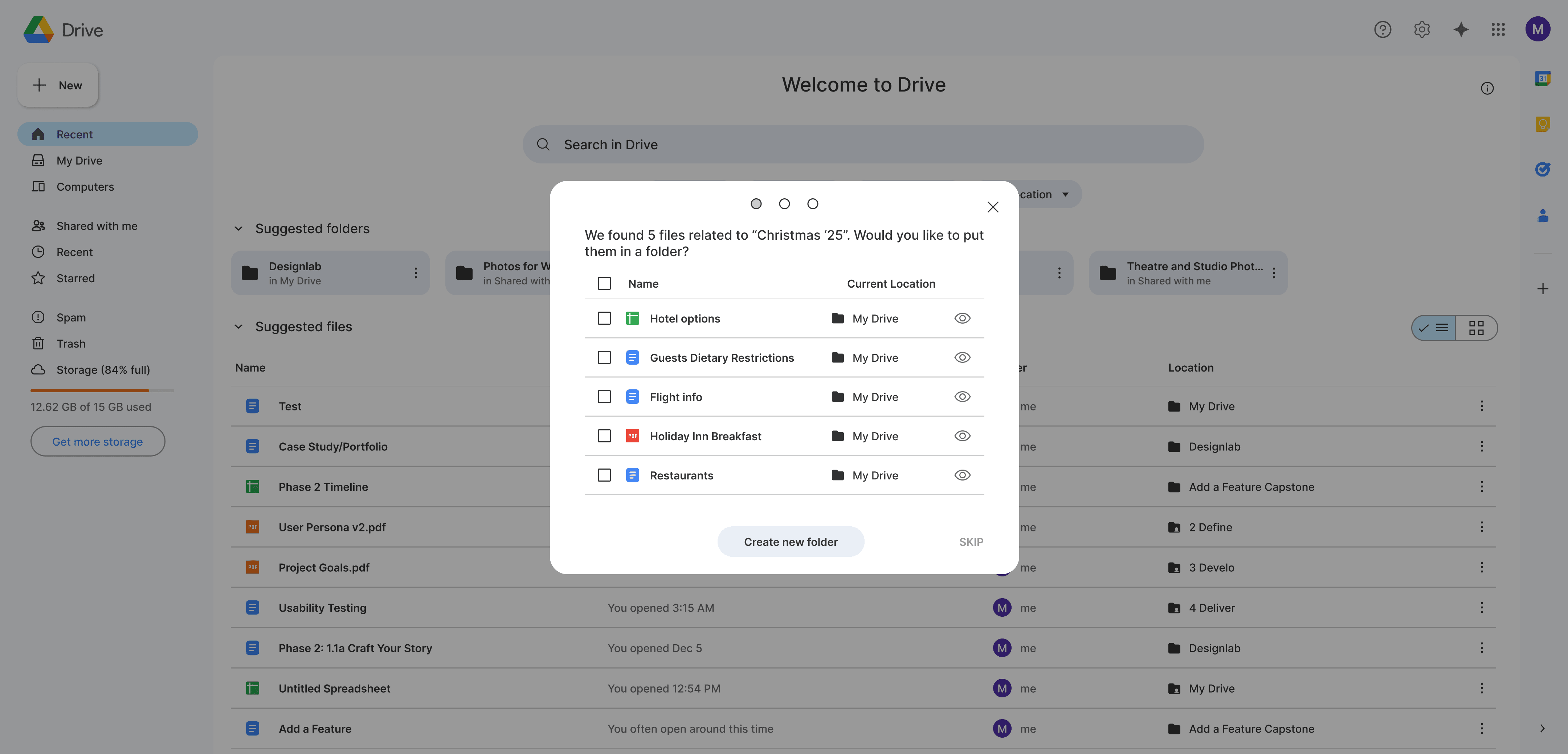
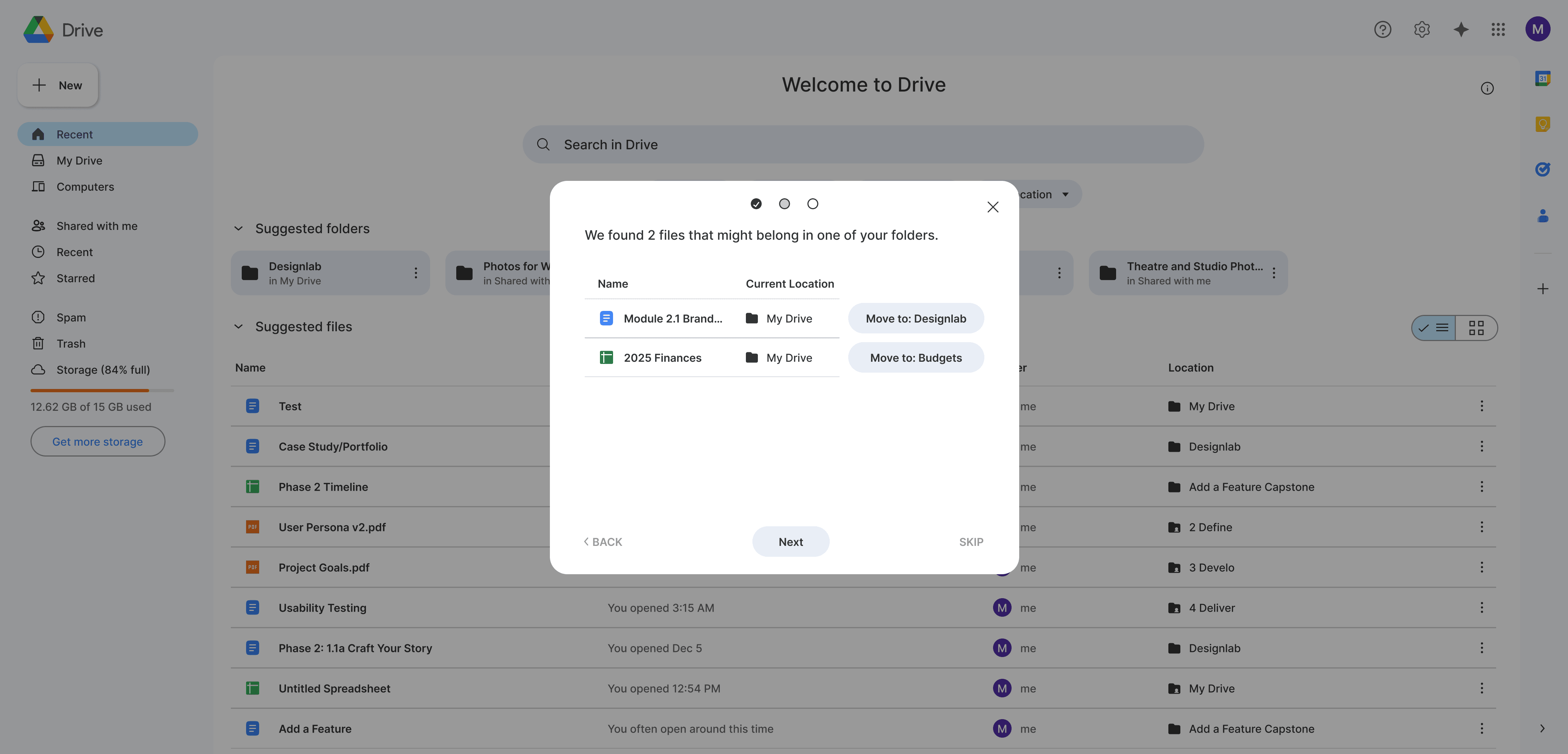
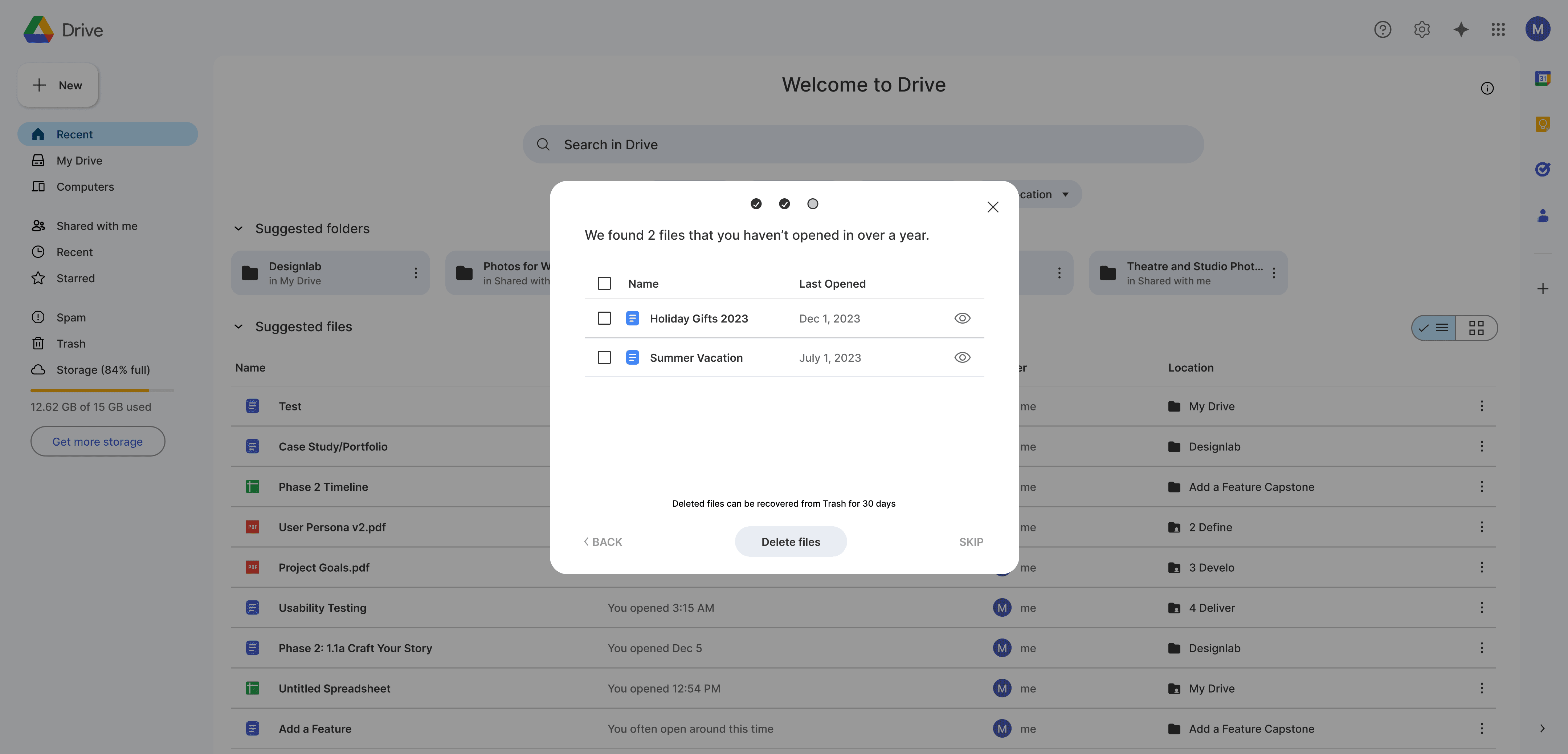
Users didn’t spend time organizing their Google Drive, but visual overwhelm was leading to frustration. I designed a trust-first, AI-assisted organization feature for Google Drive that helps users clean up and find files faster without changing how they already work.
time frame
3 weeks
client
Google Drive (student project)
role
UX Researcher, UX/UI Designer
discovery
Considering how to improve Google Drive’s basic organization
Despite having over 2 billion users, Google Drive’s organizational tools remain relatively basic. I set out to design a lightweight organizational feature that integrates seamlessly into Drive’s existing UI, without asking users to fundamentally change how they already work. My hypothesis was that reducing the effort required to organize files would decrease the friction users experience when searching for content, ultimately improving trust and satisfaction with the product.
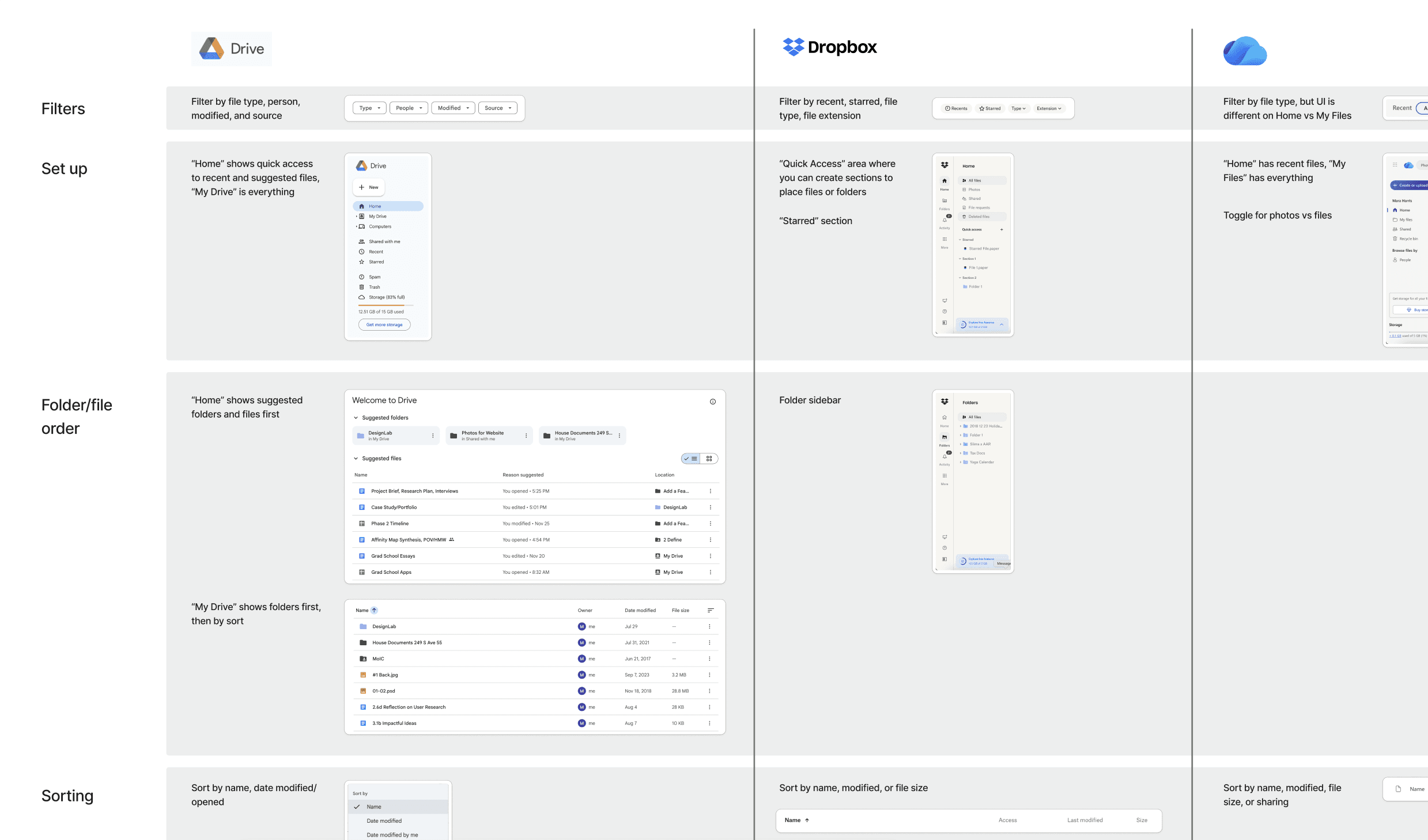
To ground the project, I began with a competitive analysis to understand how similar products approach file organization and automation. In parallel, I explored Drive’s existing organizational features to identify opportunities for integration rather than disruption.
Users claim they're satisfied with their Drive setup, but demonstrate confusion and overwhelm
I interviewed five active Drive users to understand how they currently organize and locate files. A few consistent patterns emerged:
Users treat Drive as a quick “braindump”
They are unlikely to spend a lot of time using complex organizational tools
When asked directly, users claim that they’re satisfied with their current organization
Uncovering a disconnect between users’ words and behaviors
However, when I observed users navigating their Drive setup, a different story emerged. While they express satisfaction with current setup, they demonstrated confusion and overwhelm when navigating their Drive organization.
This contradiction between perceived satisfaction and observable friction became a key insight guiding the rest of the project.
Based on these findings, I intentionally focused on a frequent but fast-moving Drive user: someone who relies on Drive as a mental drop zone rather than a meticulously maintained filing system.
For this user, an effective solution needed to be:
Something they didn’t realize they needed until it existed
Immediately obvious how to find and use
Low effort, with minimal setup or maintenance, and high-value
Define
Brainstorming simple, highly visible solutions
Synthesizing the insights led to three distinct problem spaces, each addressing a different source of friction within Drive. I crafted POV statements and HMW questions for each problem statement, to guide solution ideation.
Users don't want to spend time organizing files, so any solution needs to simplify their process rather than complicate it
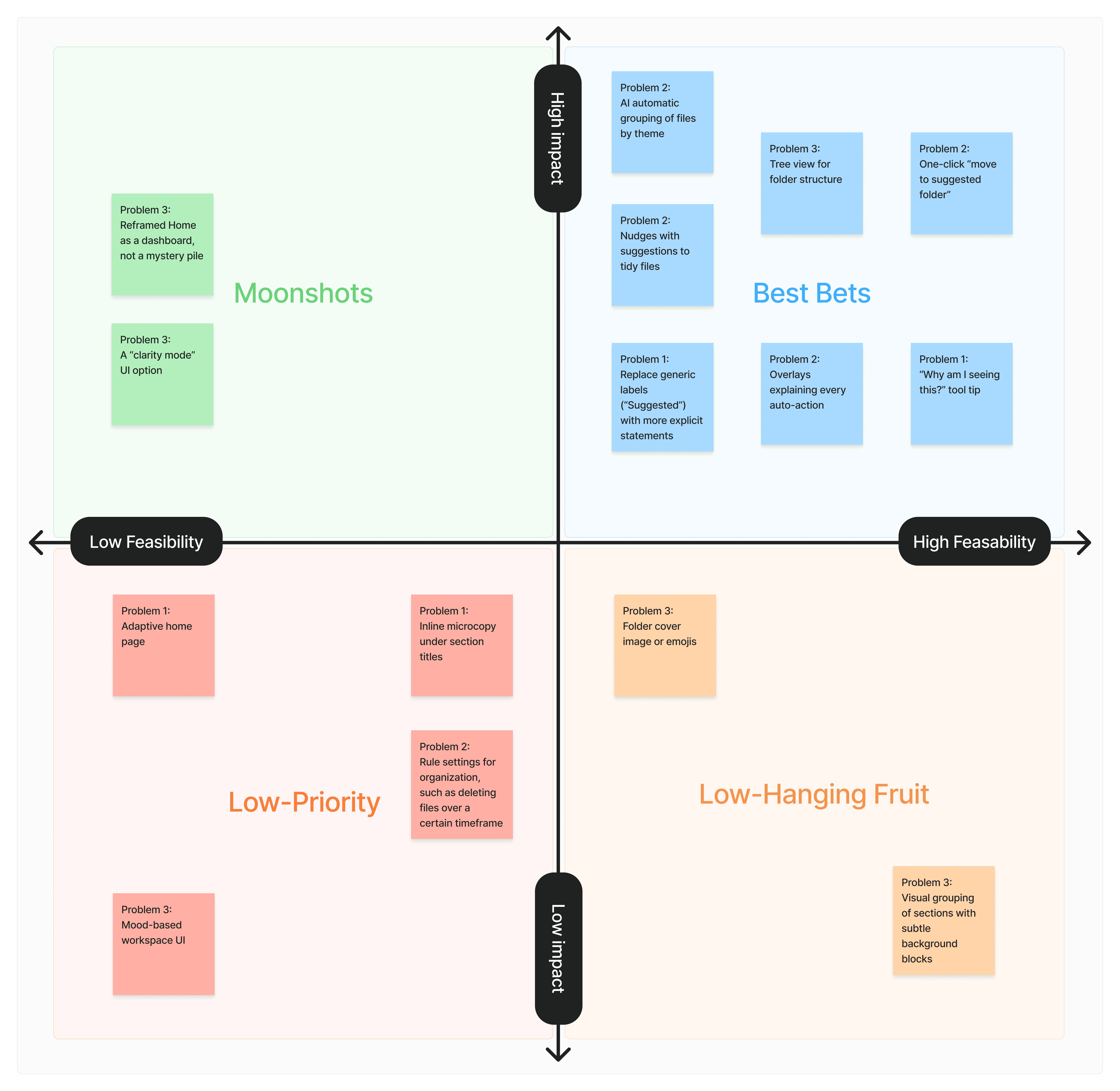
Using an impact-feasability matrix, I evaluated each potential solution based on user effort, likelihood of adoption, and alignment with existing Drive behaviors. From this it was clear that problem of users not wanting to spent a lot of time organizing their files was the most optimal to focus on, for maximum impact. It also focused on eliminating the barrier to using existing organizational tools (i.e. folders), rather than adding complexity. This approach offered the highest potential impact while aligning closely with users’ current mental models.
Analyzing current AI capabilities and concerns
Early in the research, users expressed concern around the integration of AI into daily tools. This influenced the design approach. Rather than fully automating organization, the solution was intentionally designed to keep users in control, requiring review and confirmation before any action is taken. This balance helped increase trust while still reducing organizational effort.
During the course of this project, Google introduced Gemini into Drive. I researched its existing capabilities and interaction patterns to ensure visual and behavioral alignment. While Gemini can move files into folders, it requires explicit user prompts, which doesn’t reduce the cognitive burden from users.
Develop
Using sketches to gather user feedback on how to integrate the AI tool
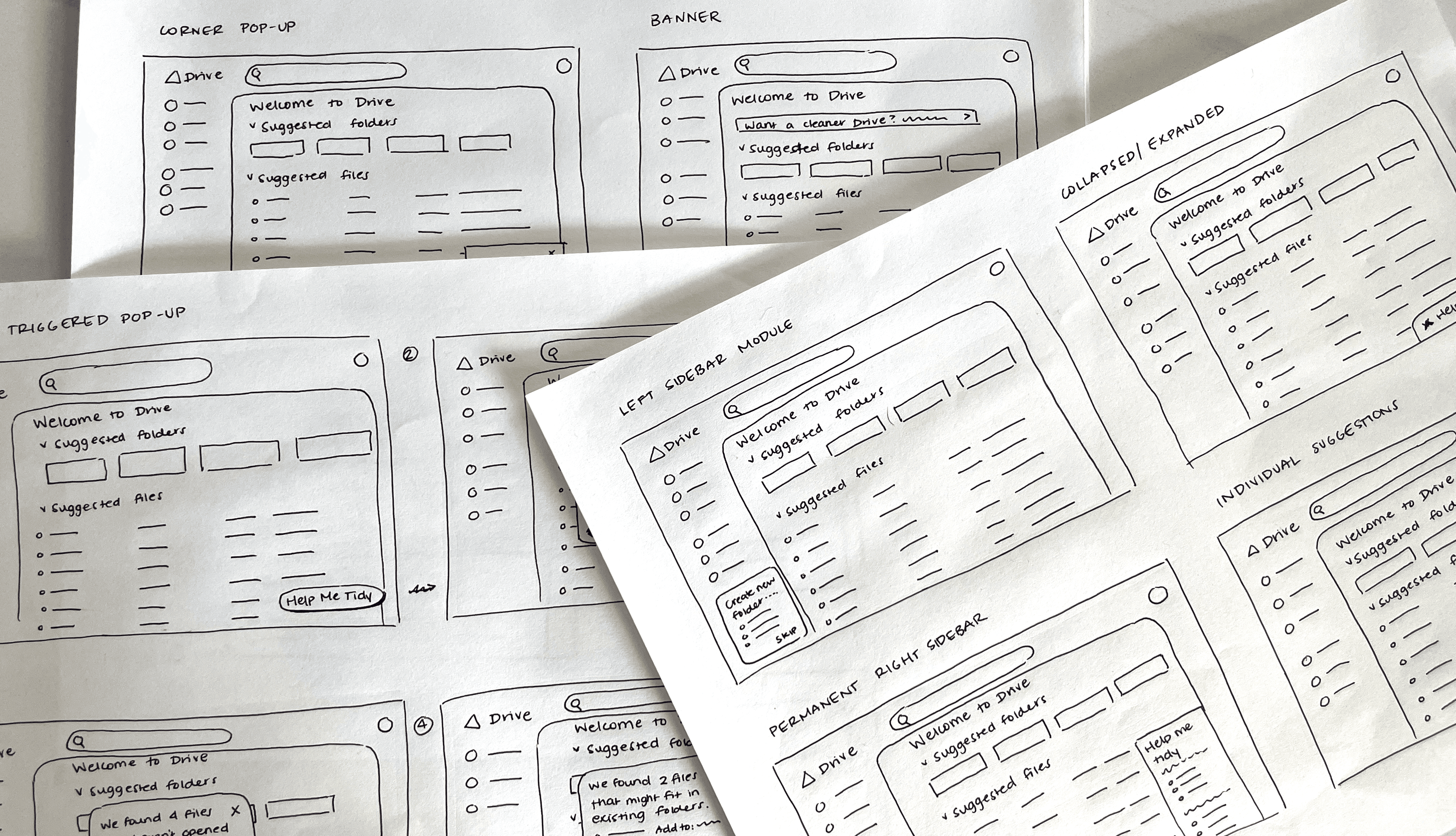
While the core idea felt strong, the challenge was determining how the tool should live within Drive’s UI. I sketched eight integration concepts and gathered early feedback from peers. Simpler patterns such as pop-ups were perceived as familiar and stayed true to the mission of keeping the tool uncomplicated.
Low-fidelity testing to determine integration options
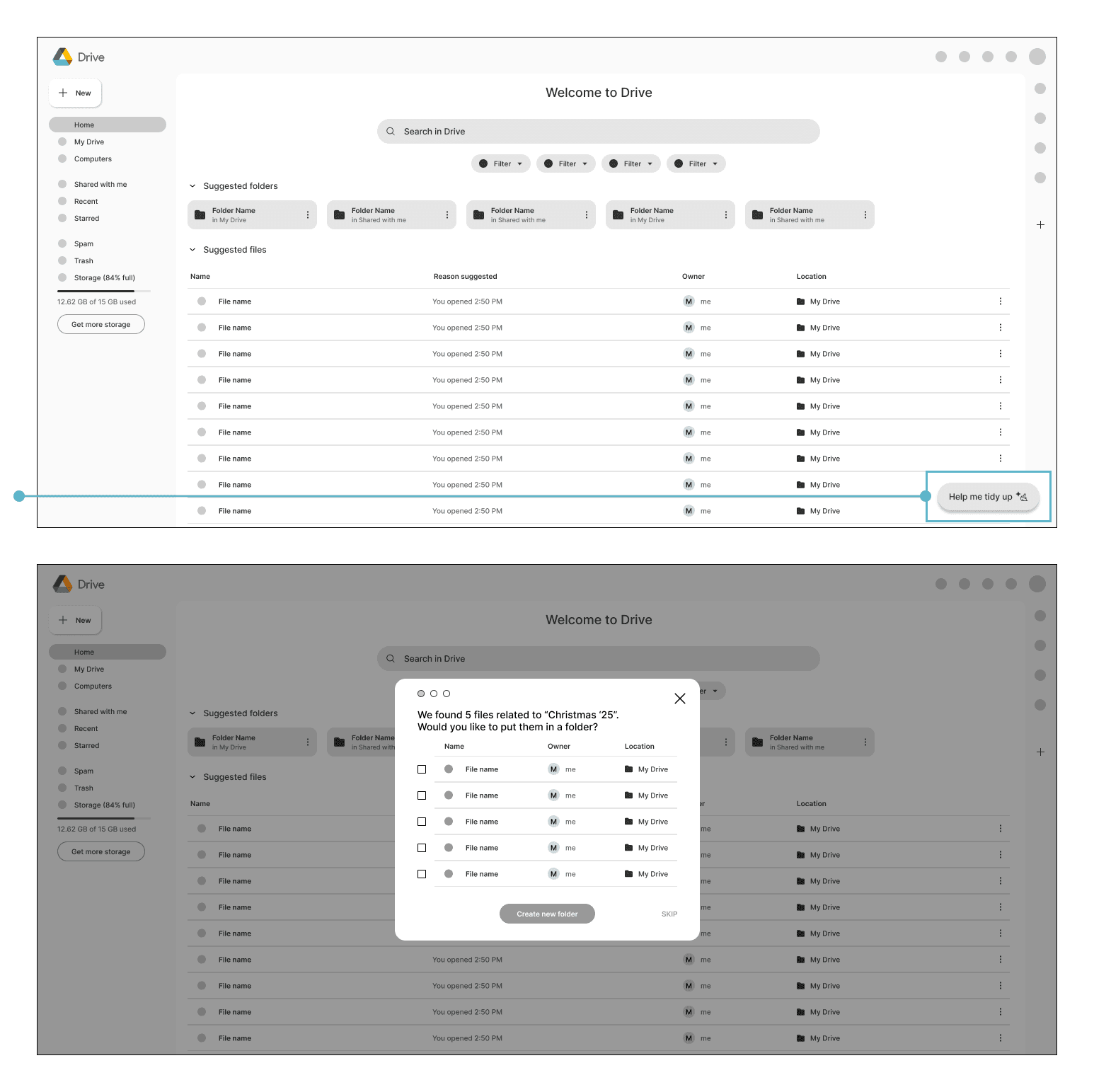
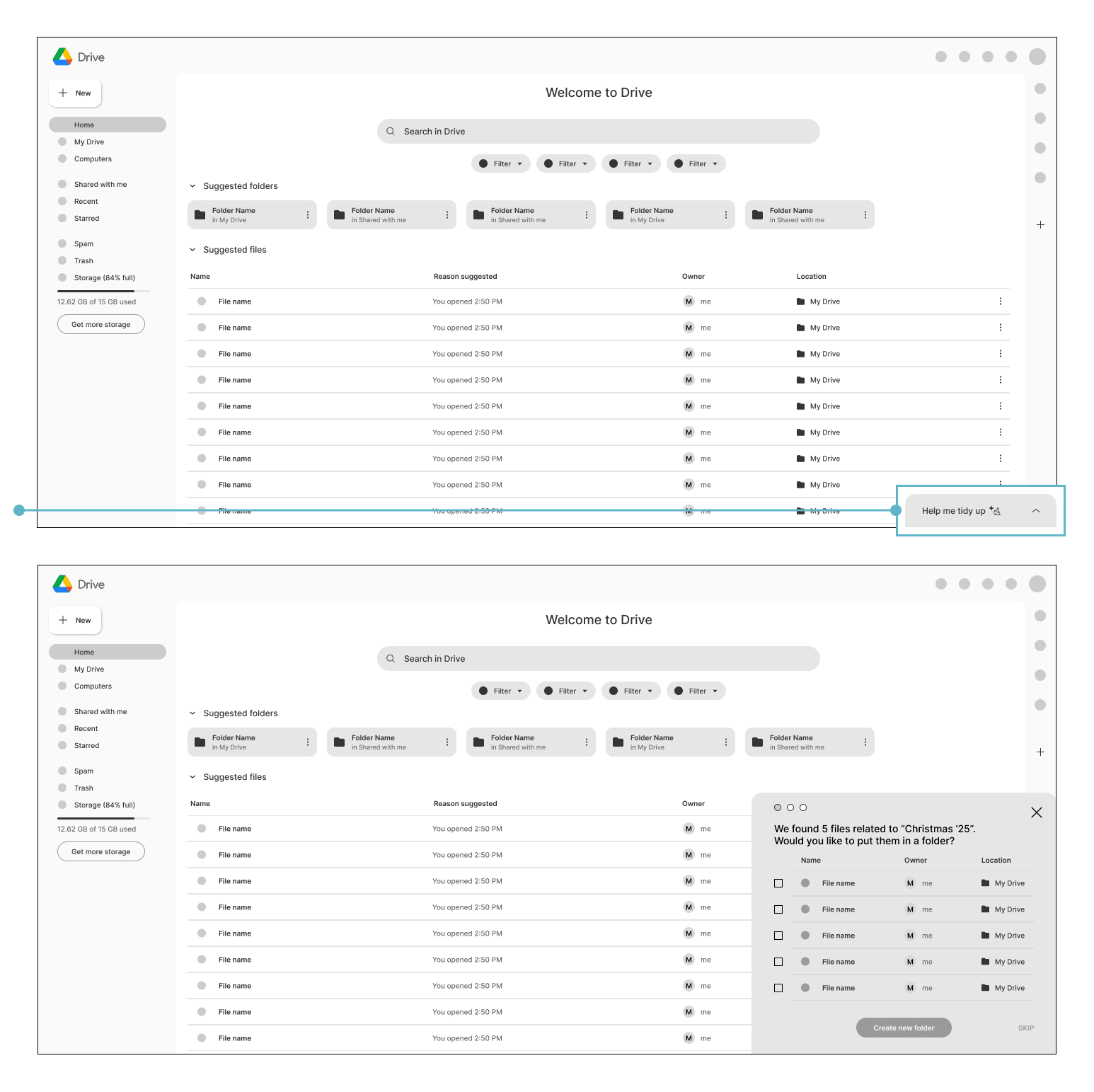
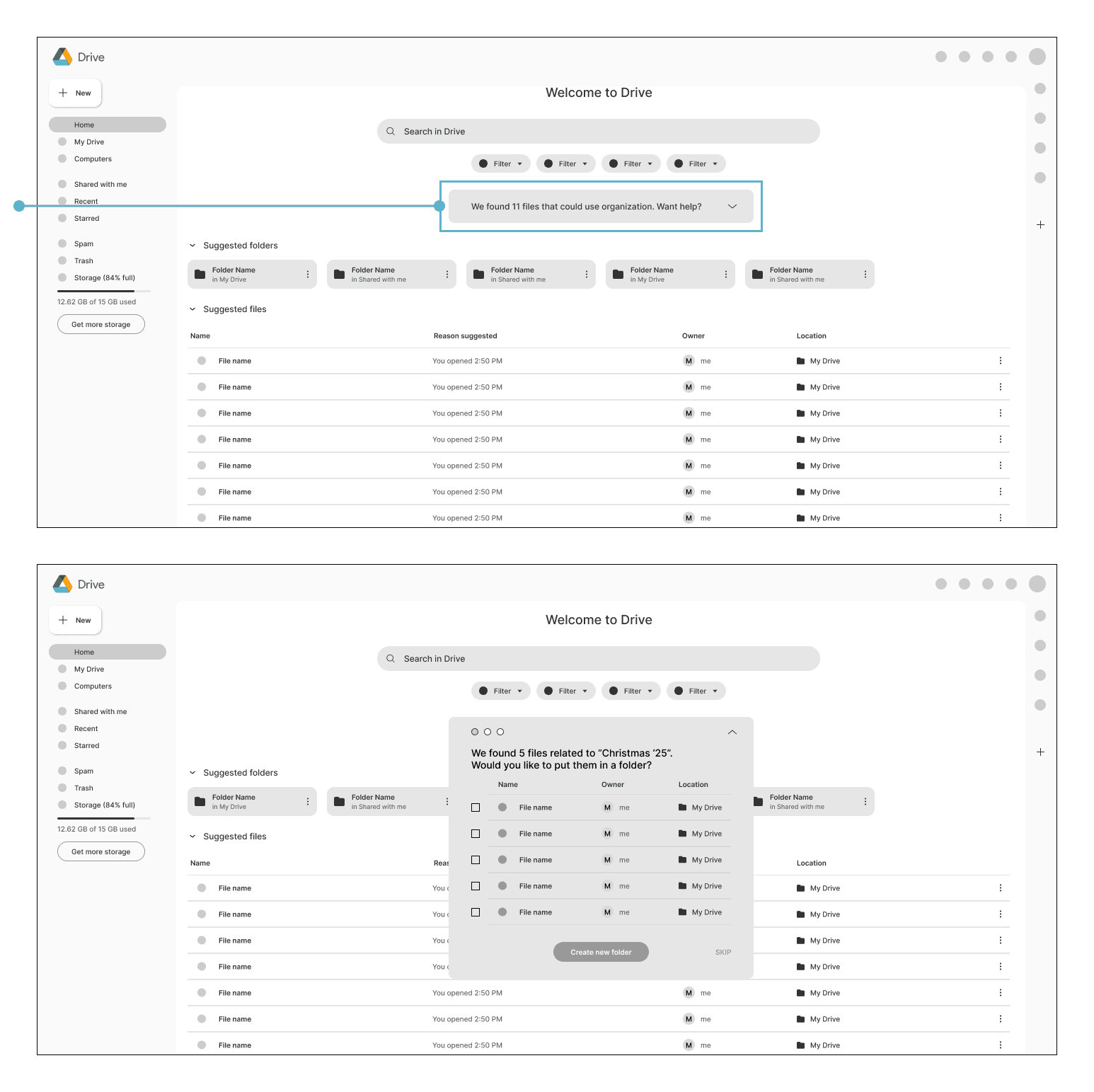
Because no clear favorite emerged from sketches alone, I prototyped low-fidelity wireframes and tested them with six users. Placement in the bottom-right corner of the interface (option 1 or 2 below) was preferred overall.
This testing reinforced how strongly users rely on familiarity to form associations. While one user disliked the second option because it reminded them of intrusive AI chatbots, another found it pleasing due to similarities with Gmail’s “new message” UI.
Key takeaways:
Familiar design conventions strongly influence trust
Users wanted an added step for deleting files
The tool should adapt its visibility (collapse or expand) based on context
Deliver
Usability testing demonstrated high likelihood of adoption
After building a high-fidelity prototype, I conducted usability testing to validate users’ ability to navigate the tool. I looked for points of friction in navigation and terminology and discussed enthusiasm and trust for the feature. Success was measured by the participants ability to:
Discover the feature without assistance
Successfully navigate the flow
Demonstrate understanding of the feature
Trust the feature and indicate likelihood of real-world use
Four out of five participants discovered and completed the flow without assistance. The first participant initially struggled to find the entry point, which led to the addition of a “new feature” introduction module. Subsequent participants had no difficulty. All five demonstrated understanding of the feature.
While trust is impacted by individual attitudes toward AI, multiple users noted that retaining control over decisions made the feature feel safe and usable. A majority of participants stated they would "definitely" or be "quite likely" to use the tool in their own Drive.
Metrics
4 out of 5 participants discovered and completed the flow without assistance
5 out of 5 participants demonstrated understanding of the feature
4 out of 5 participants stated they would "definitely" or be "quite likely" to use the tool
Making adjustments
Final iterations addressed a few user needs that were overlooked.
Users wanted more information about the tool
Users didn’t receive enough feedback on the “new folder” step
Users didn’t notice the eye icon that indicated a preview function
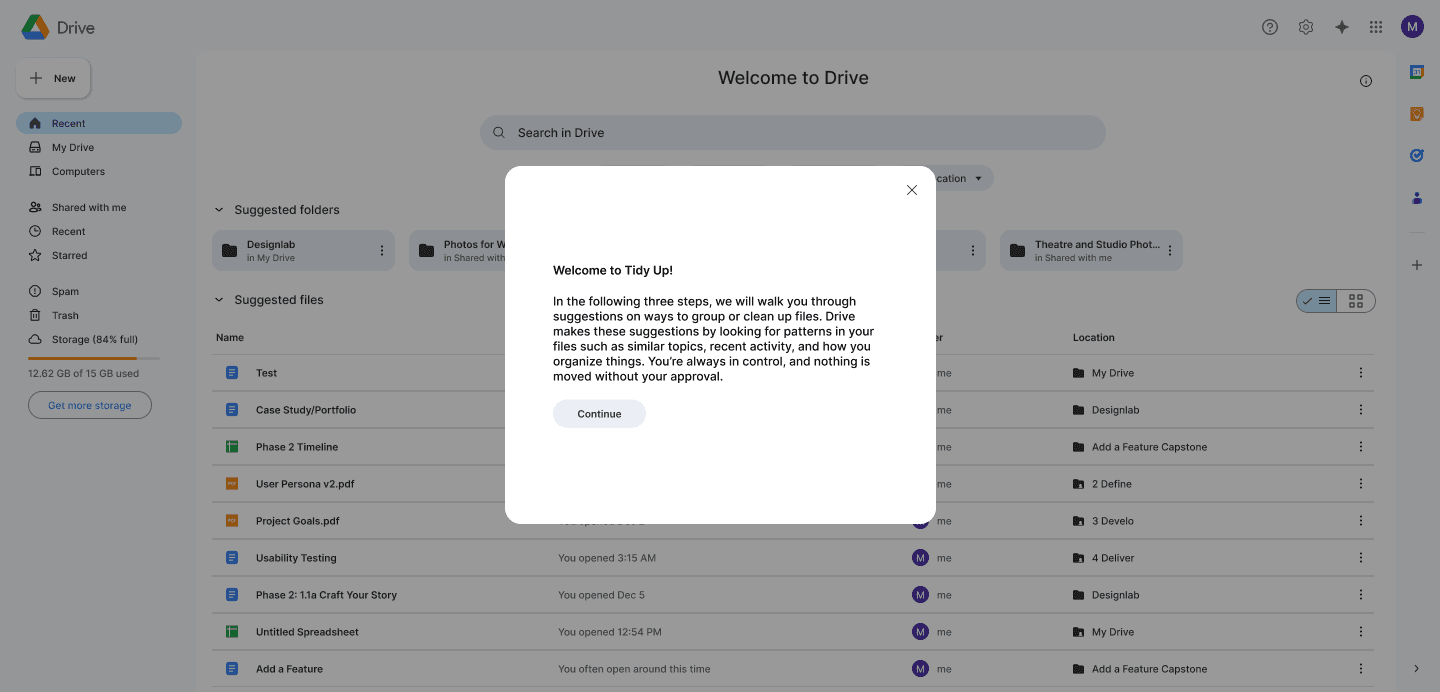
new slide with more information
An additional screen was added at the beginning of the flow, to give more information.
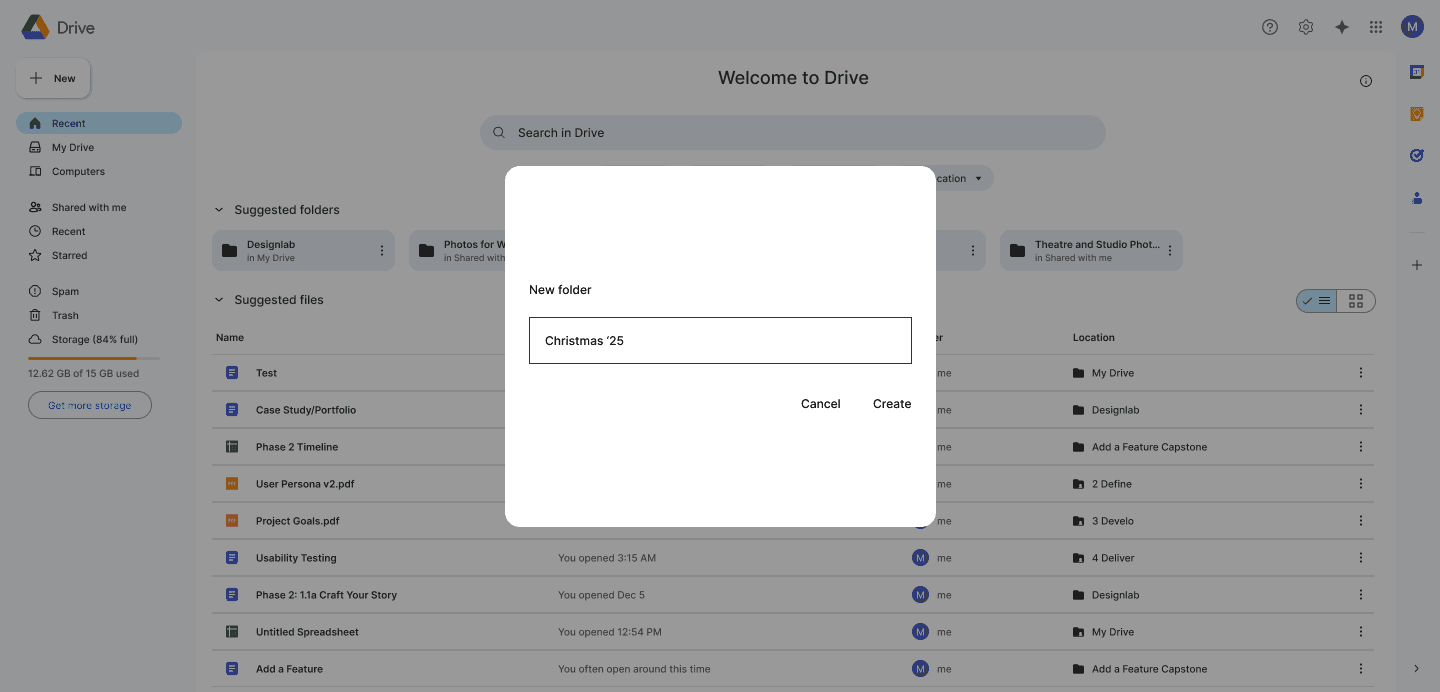
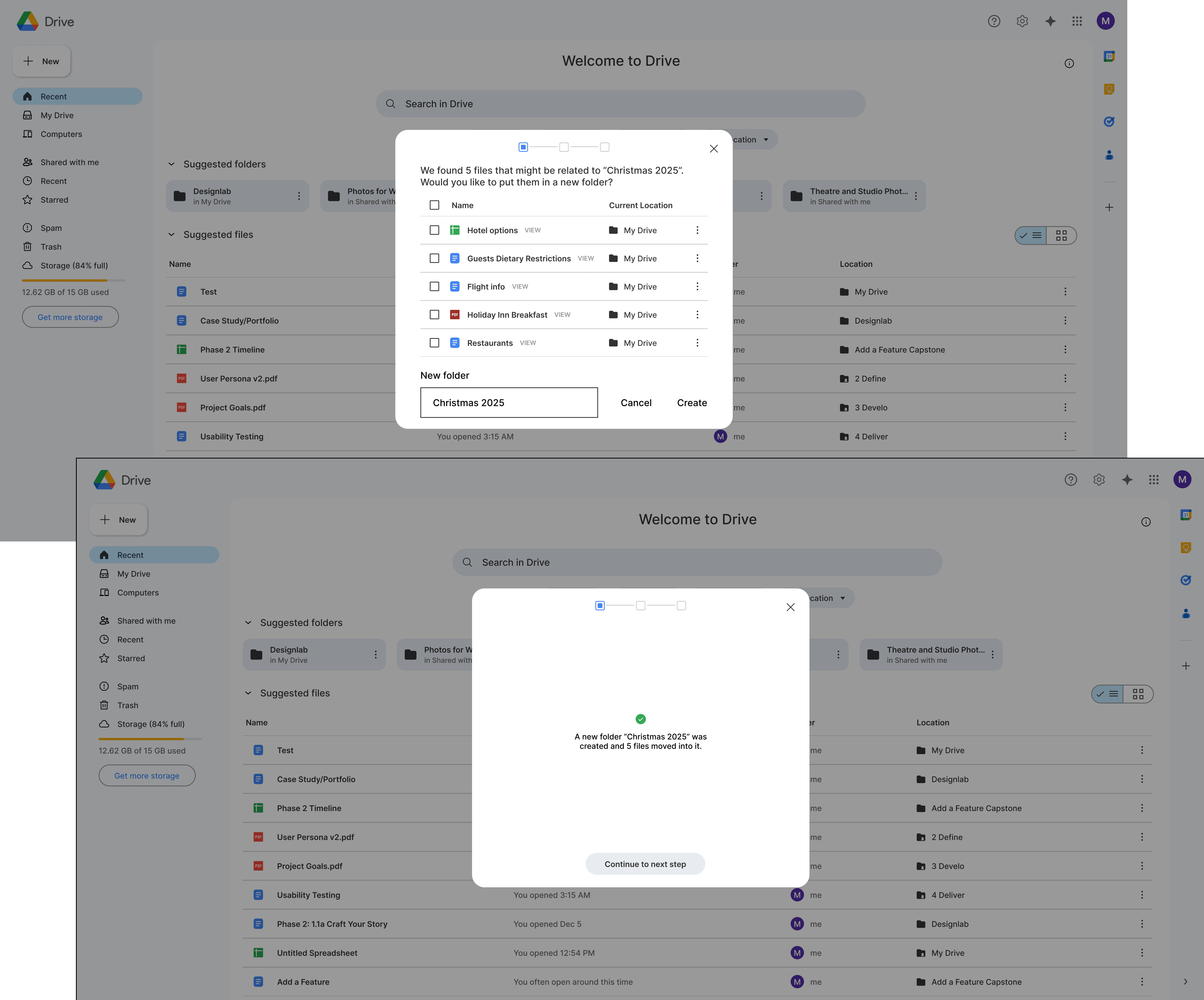
New folder step - Before
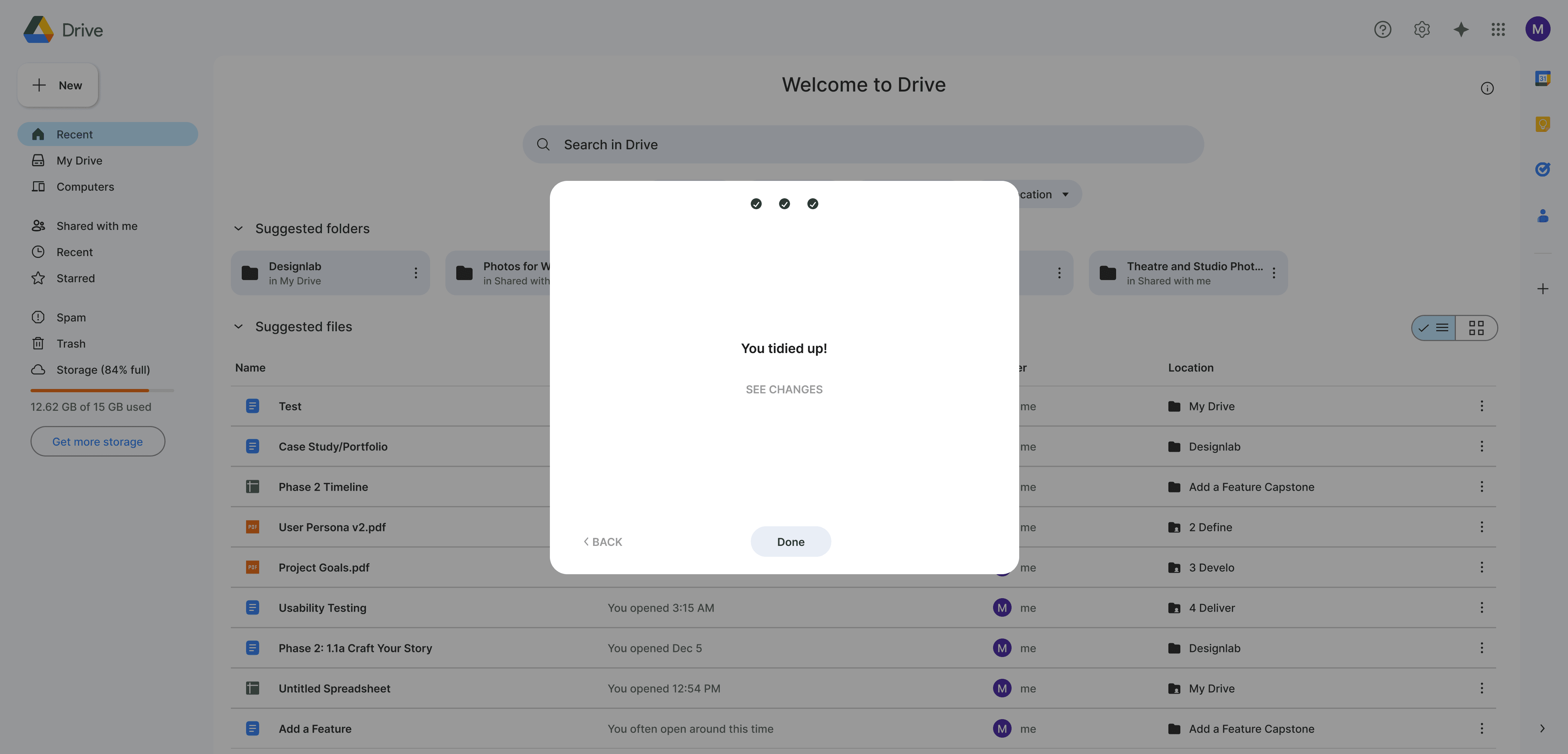
Users felt the "new folder" step was removed from the necessary context, and didn't provide feedback that the action had been completed.
After
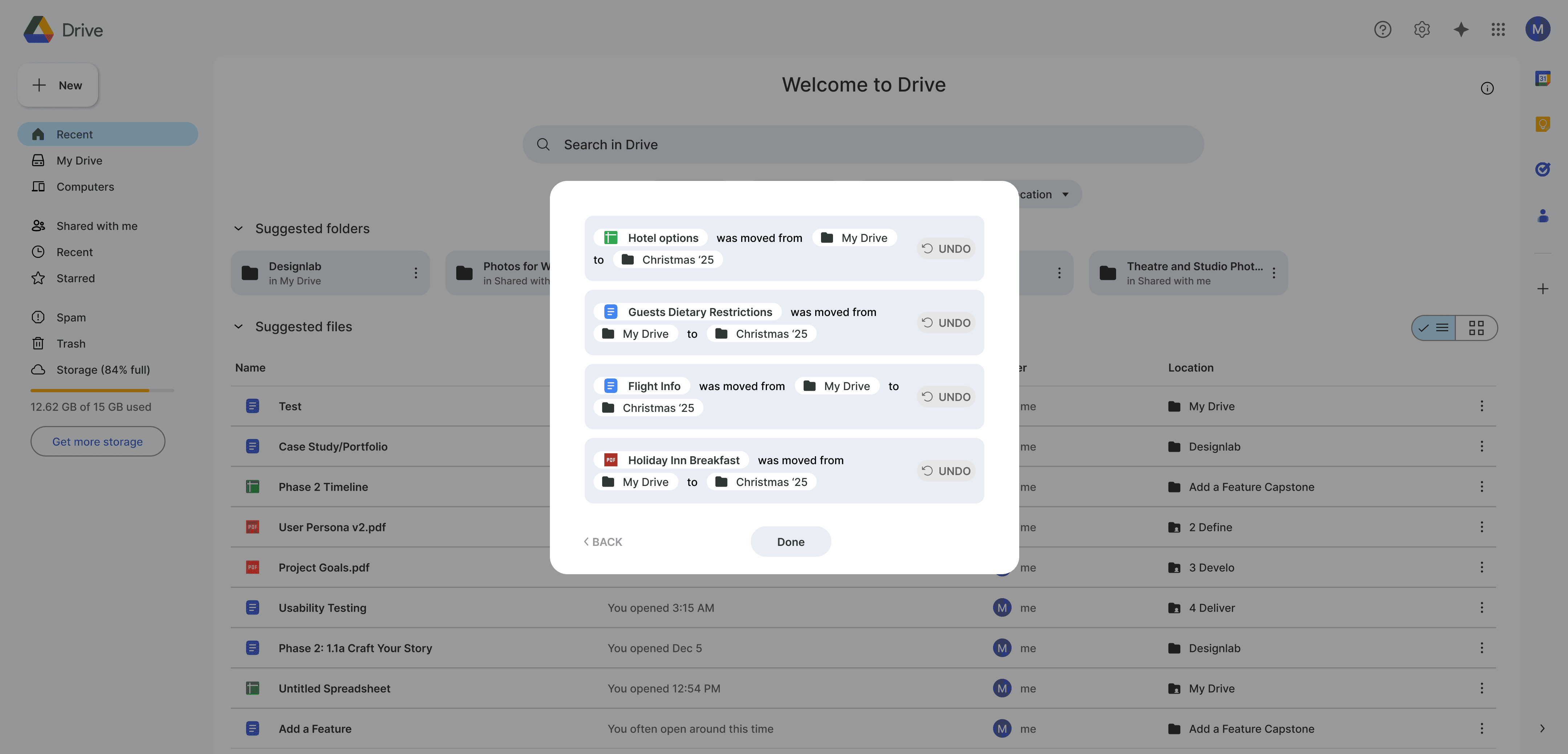
The folder naming remained on the same slide as the selection process, and an additional slide ensures users the folder creation was successful.
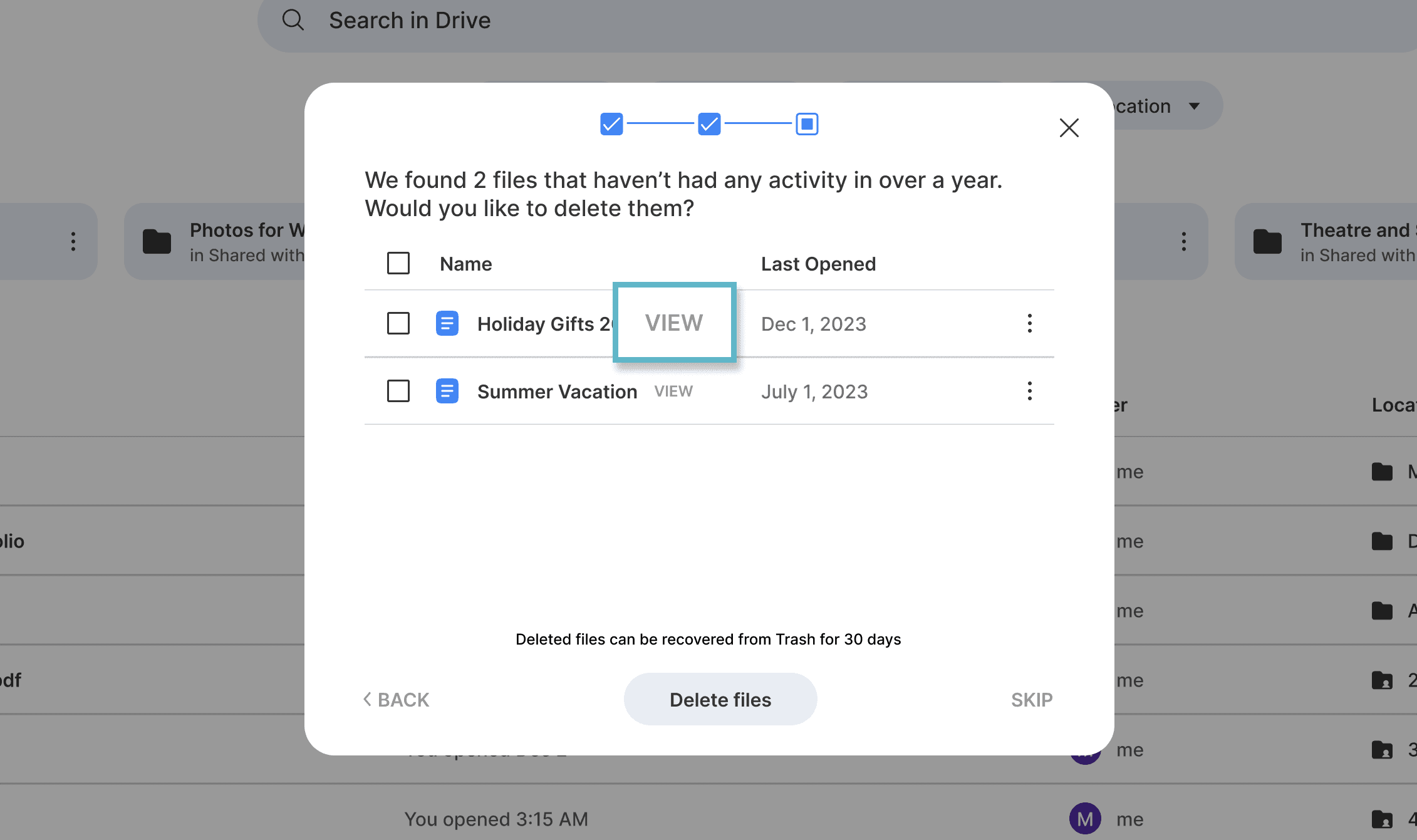
Preview button
Users didn't realize the eye icon indicated a preview, so it was swapped for text.
Outcome
Reducing friction without changing behavior
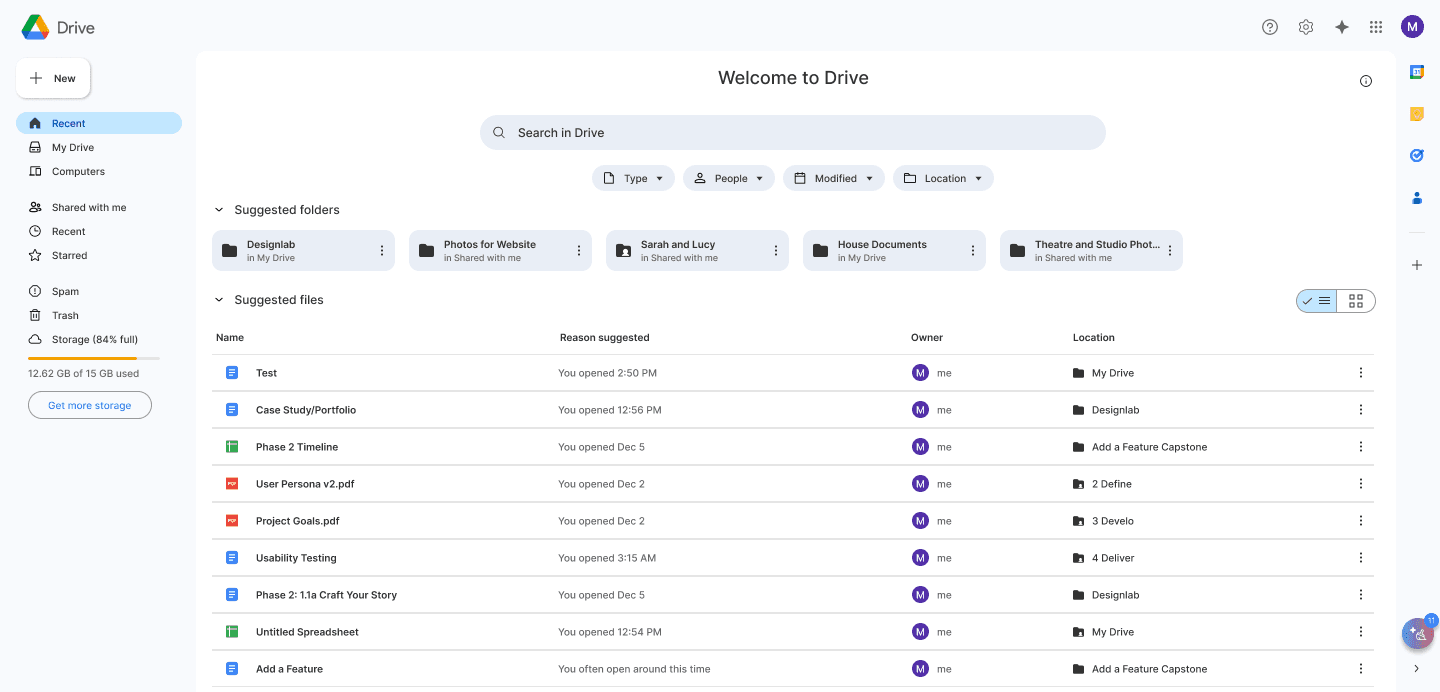
This project resulted in a lightweight, AI-assisted organization feature designed to reduce file-related friction in Google Drive without requiring users to rethink how they work. Rather than introducing new systems or forcing behavioral change, the solution met users where they already were and helped them regain clarity only when friction became visible.
By surfacing organization assistance at the right moment and keeping users in control of every action, the feature addresses a key disconnect uncovered in research: users believed their Drive was manageable, yet consistently demonstrated confusion and overwhelm when navigating it. The design translated into an opt-in, trust-first intervention that feels helpful rather than prescriptive.
Next steps
Testing contextual triggers (e.g., file volume thresholds) to surface the tool at moments of peak frustration
Measuring long-term behavioral impact, such as reduced search time or increased folder adoption post-use