Facilitating connection for people living with chronic illness
Individuals with chronic illnesses struggle to keep their loved ones informed and stay connected when experiencing symptoms. I designed a mobile-first social website that helps people with chronic illness share updates, express how they’re really feeling, and ask for support without feeling like a burden.
time frame
5 weeks
client
Independent Project
role
UX Researcher, UX/UI Designer
discovery
Researching challenges for individuals with chronic illnesses
While the physical symptoms of chronic illness are often discussed, the social and emotional impact is more nebulous and challenging to accommodate. People living with chronic illness struggle to keep their loved ones informed and stay connected when experiencing symptoms. Loved ones aren’t sure what’s current information, how to help, or what’s appropriate to say in each situation.
In my secondary research, I read research studies and articles examining the relationship between chronic illness and social connection.
Research Findings
Chronically ill people can feel invisible because:
There is an absence of recognition and value within social relationships
They have a fear of dependency
They don’t want to “draw attention” to their illness
They feel like people don’t care about them
Their loved ones don’t understand their experiences
Chronically ill people can feel like they’re being left behind because:
They have limited capacity to participate in social events
They experience emotional distress caused by reminders of what they used to be able to do
Their health is unpredictable, so they cancel social engagements a lot, which leads to not being invited
They aren’t able to participate in milestones of a “normal” life
Chronically ill people are sometimes not able to be active in their lives because:
There is significant labor and performative work required to maintain connectedness
There are expectations about able-bodiedness
The burden of accommodations is put on them, or not accounted for at all
Sources provided at footer.
Users reveal challenges with asking for support and communicating health updates
I conducted interviews with individuals with chronic illnesses to understand the obstacles they encounter while trying to stay connected to others.
Research Objectives
Determine how relationships and social interactions change when a person is diagnosed with a chronic illness.
Uncover the reasons why they change (if they do).
Identify what challenges individuals encounter when making attempts to stay connected to others.
Understand the limitations they face with current tools.
Findings
Participants mentioned wanting support but not wanting to have to ask for it and not wanting to feel like a burden.
Some participants mentioned loved ones’ responses to their health news as sometimes unhelpful.
Participants distinguish between different groups of loved ones knowing different amounts of information about their health status.
There is concern with their identities becoming “the sick person”, for themselves and in the eyes of others.
I also conducted a competitive analysis on existing tools. From my interviews, users had mentioned connoting them with temporary use, or an association with elderly and/or terminally ill users (or their caregivers). The branding and UI perpetuates this association and reduces their appeal to younger audiences.
Define
Barriers to connection are physical and emotional
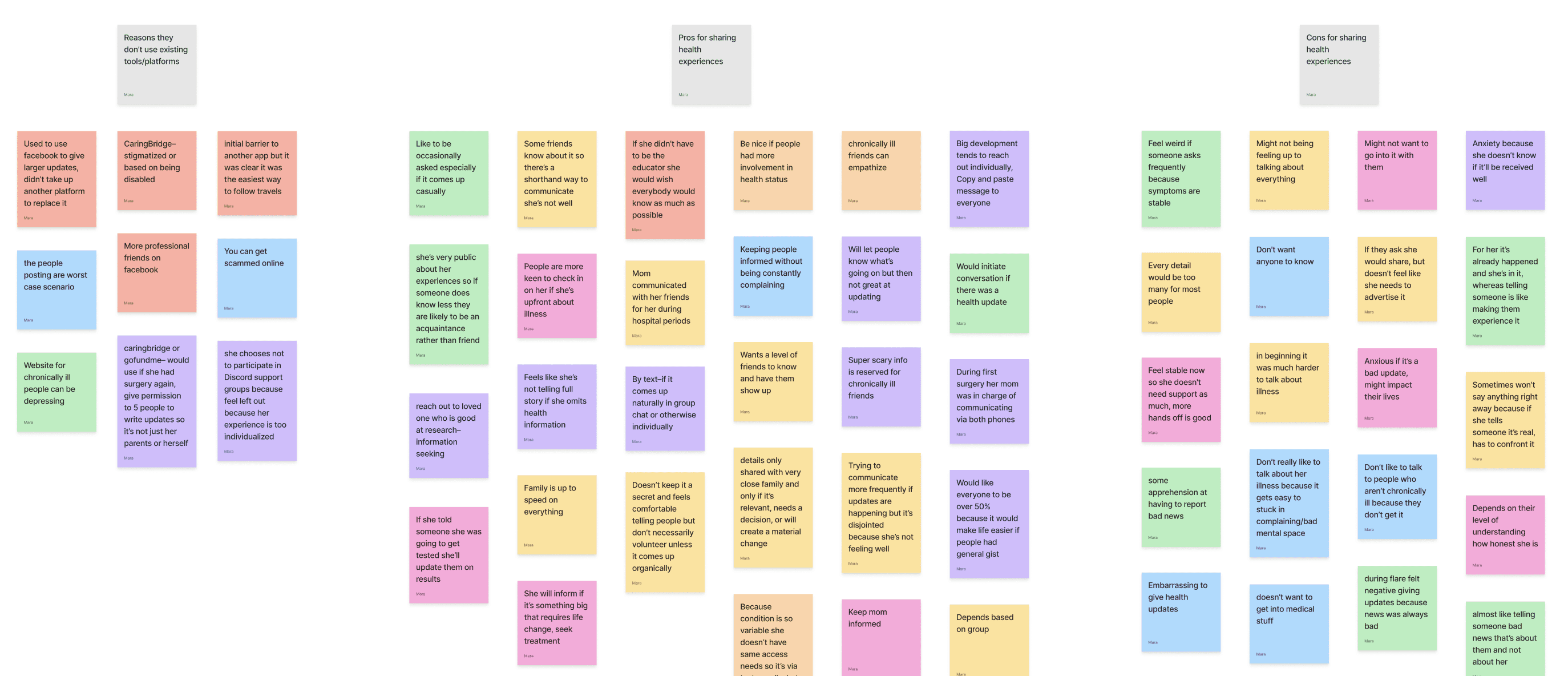
Affinity mapping confirmed the preliminary findings from the user interviews. The most common barriers to connection between chronically ill participants and their loved ones are physical limitations, not wanting to burden others, and feeling like others don’t understand or know how to respond in a way that feels appropriate. However, participants found it enjoyable when their loved ones would show care through continuing to invite them to events (even if it was unlikely they could attend), helping with practical tasks like meals, and generally checking in. This was especially appreciated when the loved one took initiative and the responsibility off the participant.
Develop
Brainstorming ideas for health updates and expressions of care
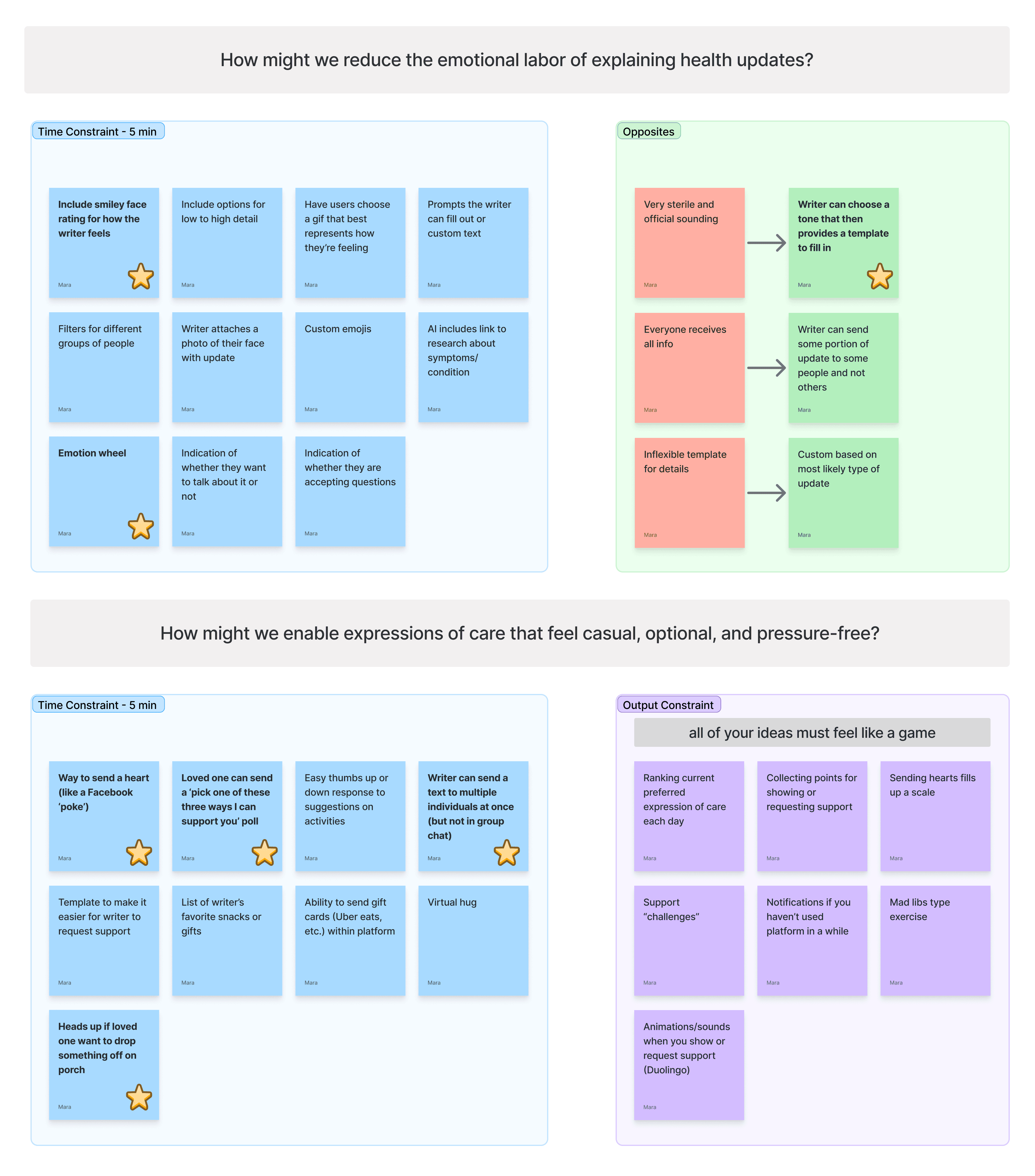
Using brainstorming strategies of time constraints, output constraints, and opposites, I generated a variety of potential solutions.
Final idea: a website that allows users to share health updates, communicate their emotional experiences, and request support
After discussions with my mentor, I opted for a website that allows users to share health updates, communicate their emotional experiences, and request support. Custom audiences with tailored privacy settings would encourage a private, close-knit community rather than a large broadcast social media site. Simple UI design that requires minimal effort would cater to users who often experience periods of low-energy. Appropriate branding would appeal to users who are currently turned off from existing products due to their somber, serious approach to health challenges.
What it accomplishes for users:
It saves users energy by avoiding repetitive one-on-one updates.
It reduces the emotional labor involved in crafting a message.
It provides a shortcut for communication to encourage authentic expression of feelings.
It empowers users to ask for support in a way that clearly states what would be appropriate and helpful in the circumstances.
How it accomplishes this:
Health update feature that uses templates based on tone and audience.
Selection from a feelings wheel that allows users to update their “status”.
Support request section where users can define ways they would like support.
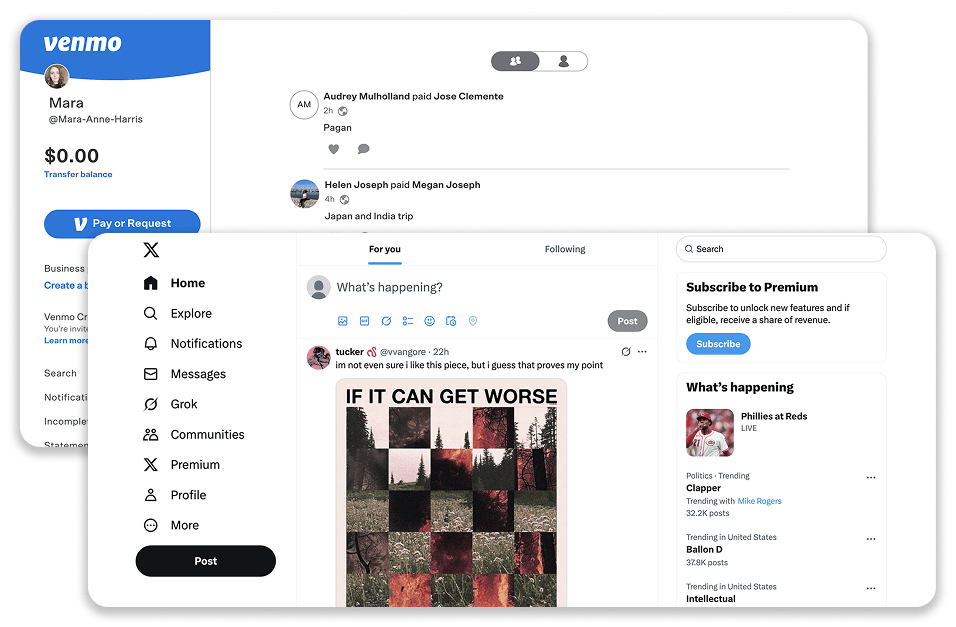
Existing design patterns of social media and newsfeeds informed wireframes
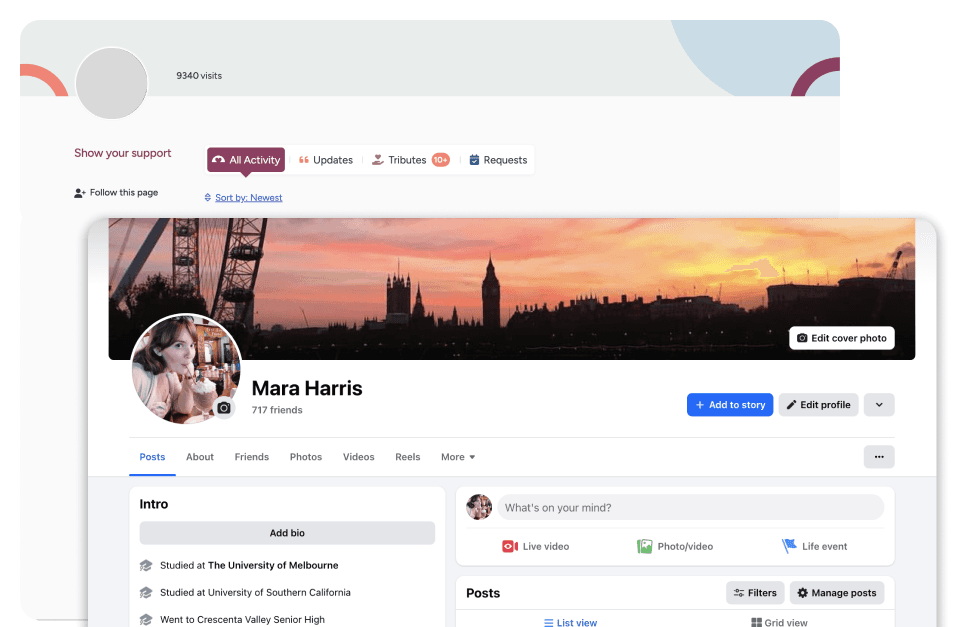
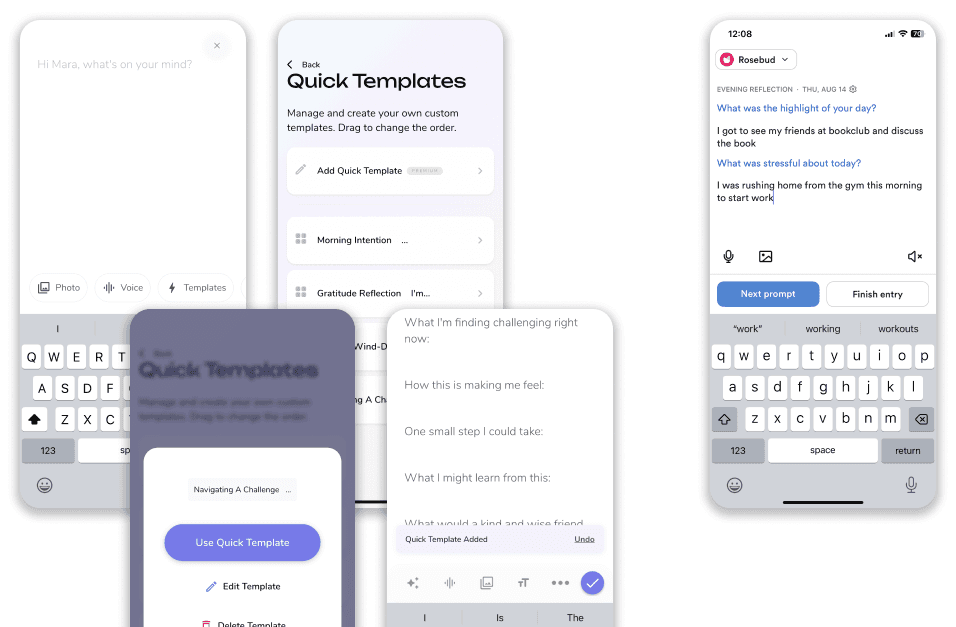
Because the solution would mirror existing tools such as social media sites and online journals, I examined existing relevant design patterns.

I sketched low-fidelity wireframes for the three core user tasks: making a post, requesting support, and logging an emotion.
Deliver
Crafting a UI language guided by brand values
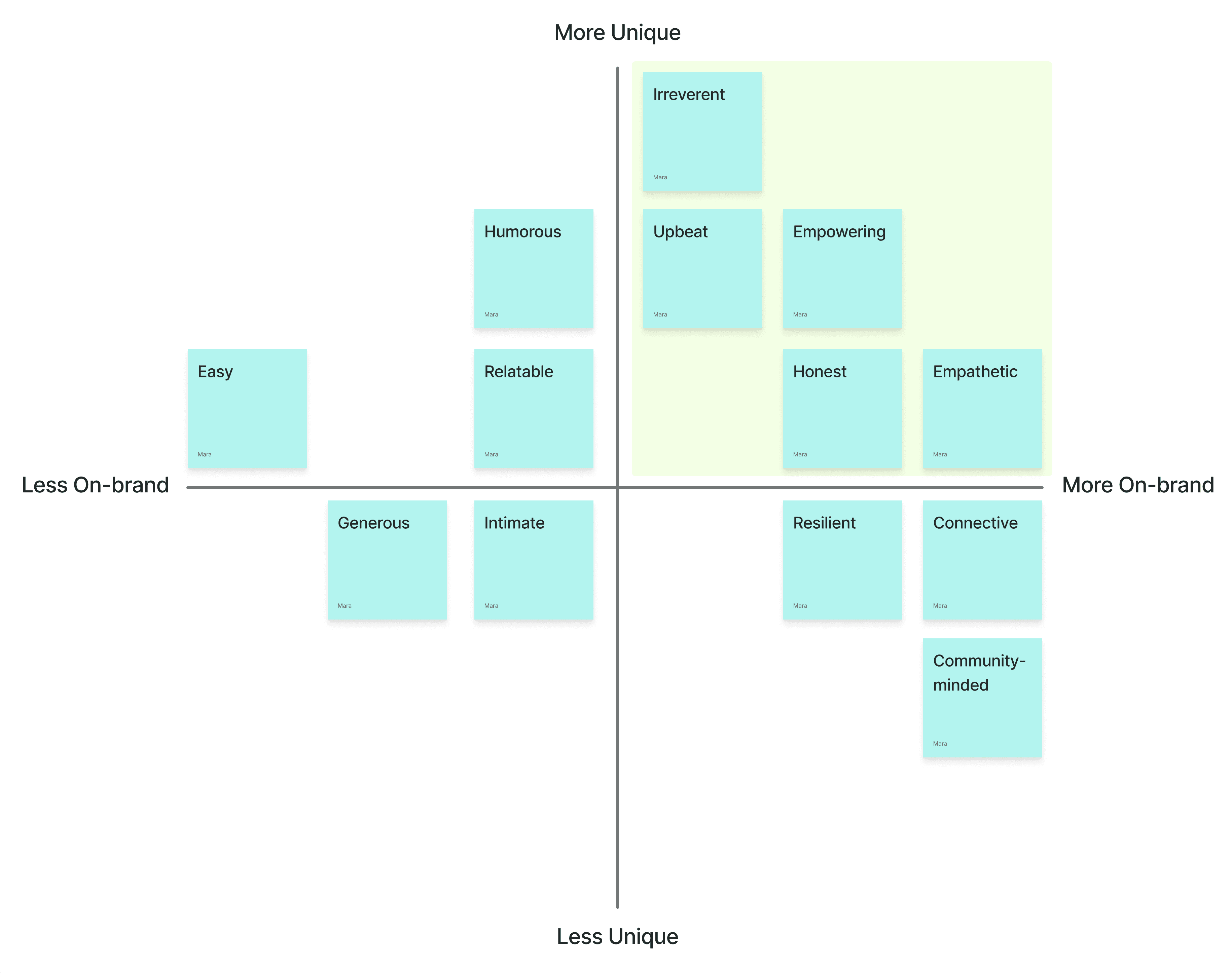
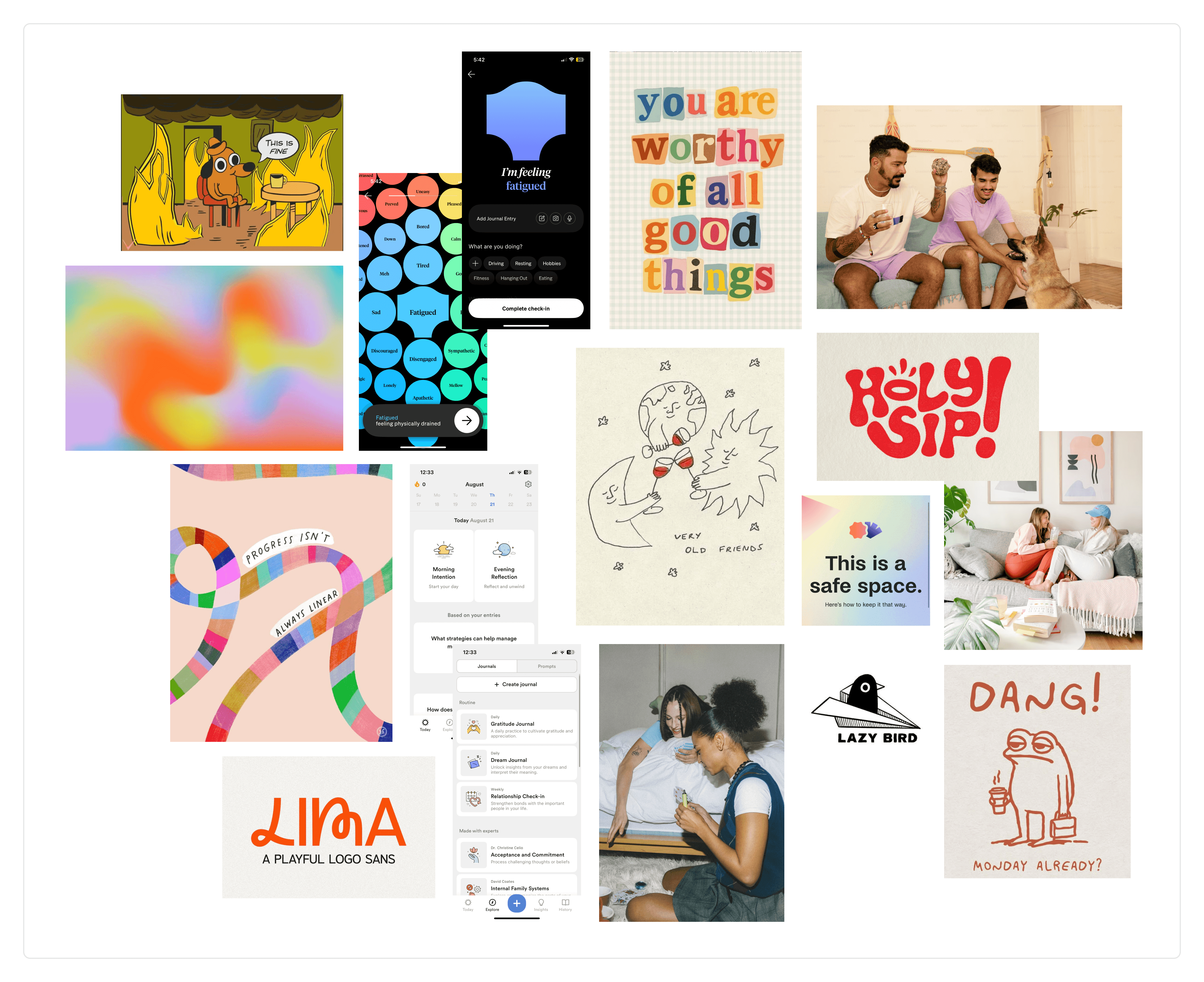
To guide the branding and design of the website, I generated brand values and then plotted them to select the most unique, on-brand adjectives. Using the adjectives "irreverent," "upbeat," "empowering," "honest," and "empathetic" I crafted a mood board that communicated the mood I planned to convey. The name was selected based on its youthful tone and frank, direct language.
A/B testing the emotion log to understand users' mental models
During usability tests, users were presented with two options for the emotion log user interface. I wanted to see whether a two-step process made it less overwhelming for users, or whether they preferred to see all options at once.
option 1
Users were shown high level categories, based on a "feelings wheel", then a follow up based on their first selection.
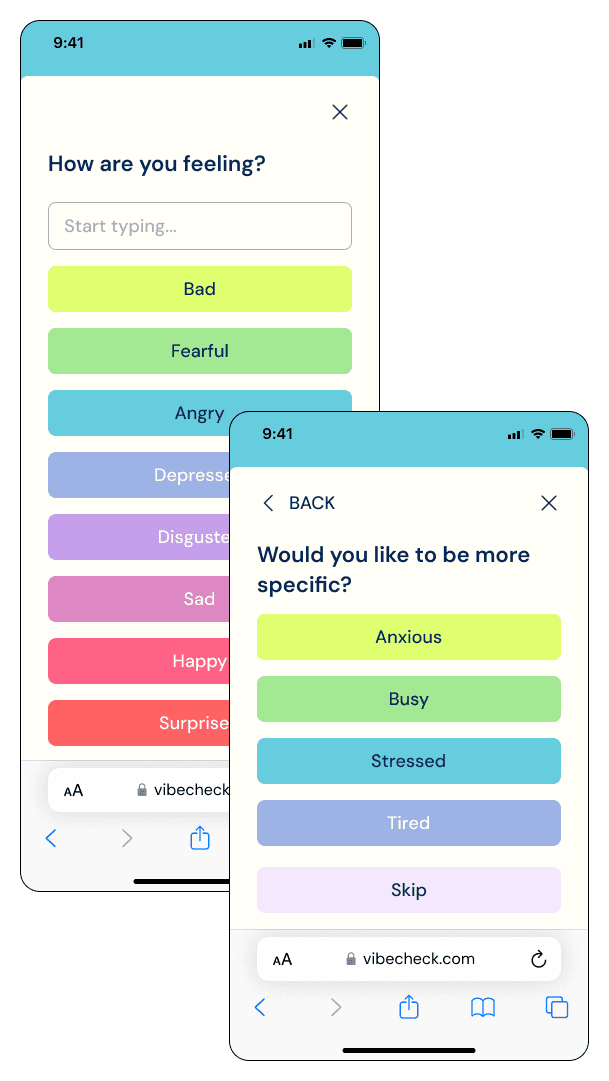
option 2
Users were shown accordion categories with selections within, so all options could be viewed simultaneously.
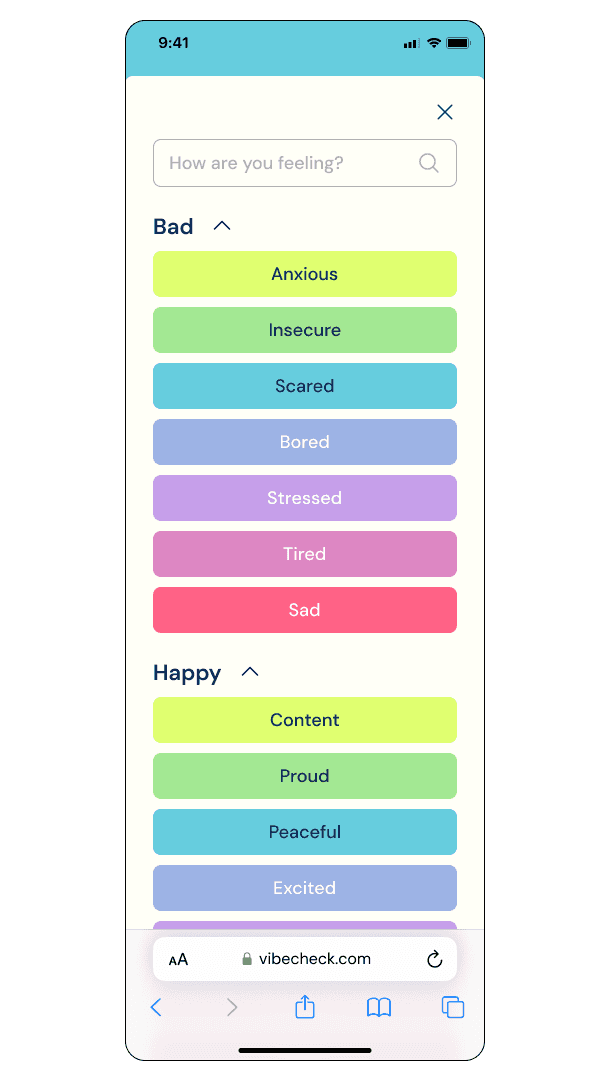
Finding: Users didn't like either option because the emotion categories were too rigid
Due to the subjective nature of emotions, users didn't like being presented with such rigid categories. They observantly pointed out that categorizing emotions in such a way perpetuates a narrative of good vs. bad. With my limited time for iterations, I made the following adjustments:
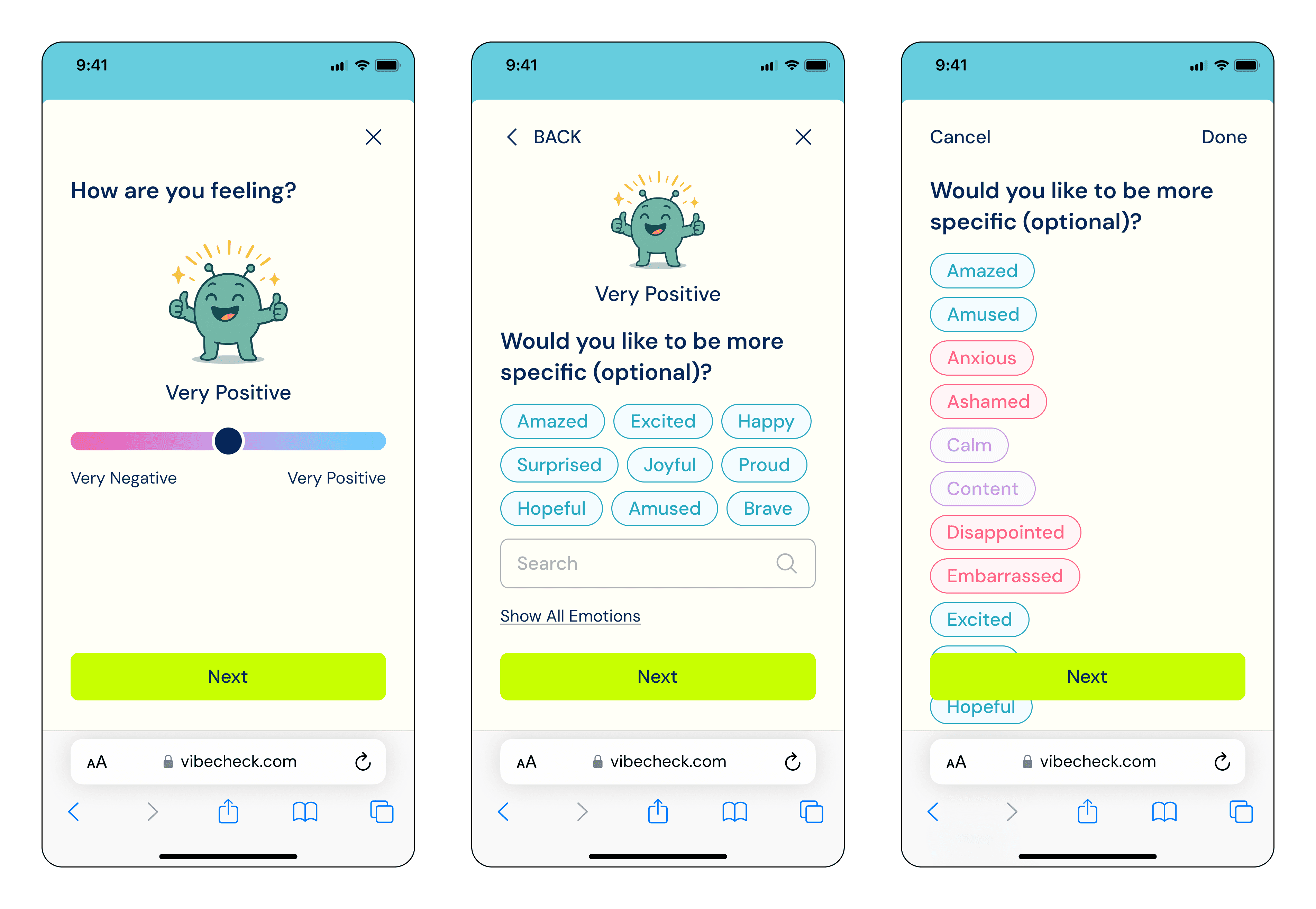
The highest level became a slide of very negative to very positive, allowing users to put their own definition on the emotion they are experiencing.
A secondary slide gives the option to add more detail, with suggestions based on first scale (although they can select any emotion regardless of their highest level selection).
Include ability to search for emotion
Next steps
Future iterations would include:
The ability to add time frames to support requests
A scheduling feature for support requests
A consolidated area for others’ support requests
I would A/B test alternative designs for the homepage, to see if confusion between the emotion status and the post could be alleviated.
Additionally, more research for the secondary user (the loved one) would be conducted, to discern what features those who do not have their own profile would want out of the product.
Secondary Research Sources: